Start here
Sell access to a private Telegram group
Membly turns a private Telegram group into a paid membership. You keep the group; a bot you own takes the money and works the door.
Set a price, share your bot's link. A member pays in USDC or USDT, and the bot invites them into the group, then removes them when their subscription runs out. You do not chase renewals and you do not hand out invite links by hand.
What Membly is
Membly has two halves, and you will meet both.
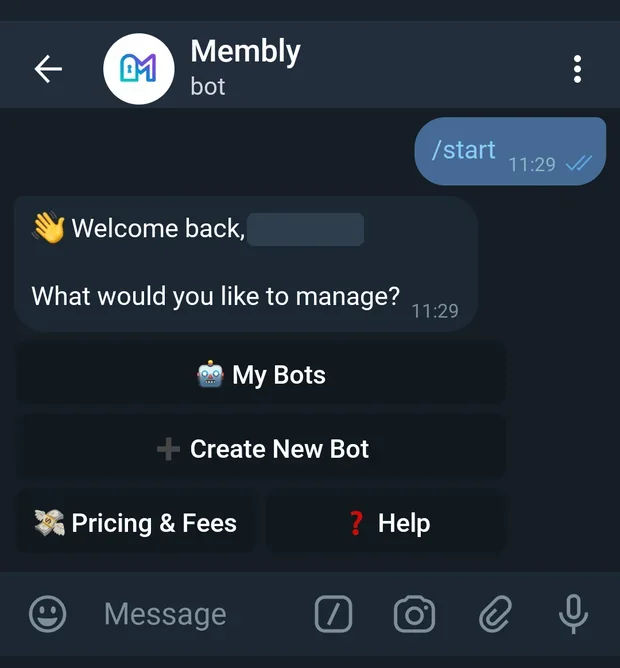
The master bot, @MemblyBot. This is the control panel. You talk to it to create your own bot, set plans and prices, add your payout wallet, and read your numbers. Nobody but you sees this side.
Your child bot. Membly creates it from a token you get from Telegram's @BotFather. This is the bot your members actually talk to. It shows your plans, takes payment, and holds the keys to your group. It carries your name and your picture, not Membly's.
You stay in control. The group is yours, the bot token is yours, and the money is swept to a wallet address you provide. Membly never holds your payout wallet keys.
Where to go next
Two pages, depending on who you are.
How it works
Five things happen once, then the loop runs by itself.
-
You create a child bot
Telegram's own
@BotFatherhands out bot tokens. You send it/newbot, pick a name and a username, and it replies with a token. You paste that token into@MemblyBot, which brings the bot to life. -
You link your private group
Add your new bot to the group and promote it to admin with two rights: Invite Users via Link and Ban Users. The first lets it let people in, the second lets it take them out. Nothing else is needed.
-
You set a plan and a payout wallet
A plan is a price and a length, for example $10 for 30 days. The payout wallet is the address where your money lands. Both can be changed later.
-
A member pays a fresh address
Your bot gives each payment its own newly derived address, not a shared one, so it can tell whose money is whose without asking anybody for a reference code. The address stays open for 60 minutes by default.
-
The bot admits them, then removes them
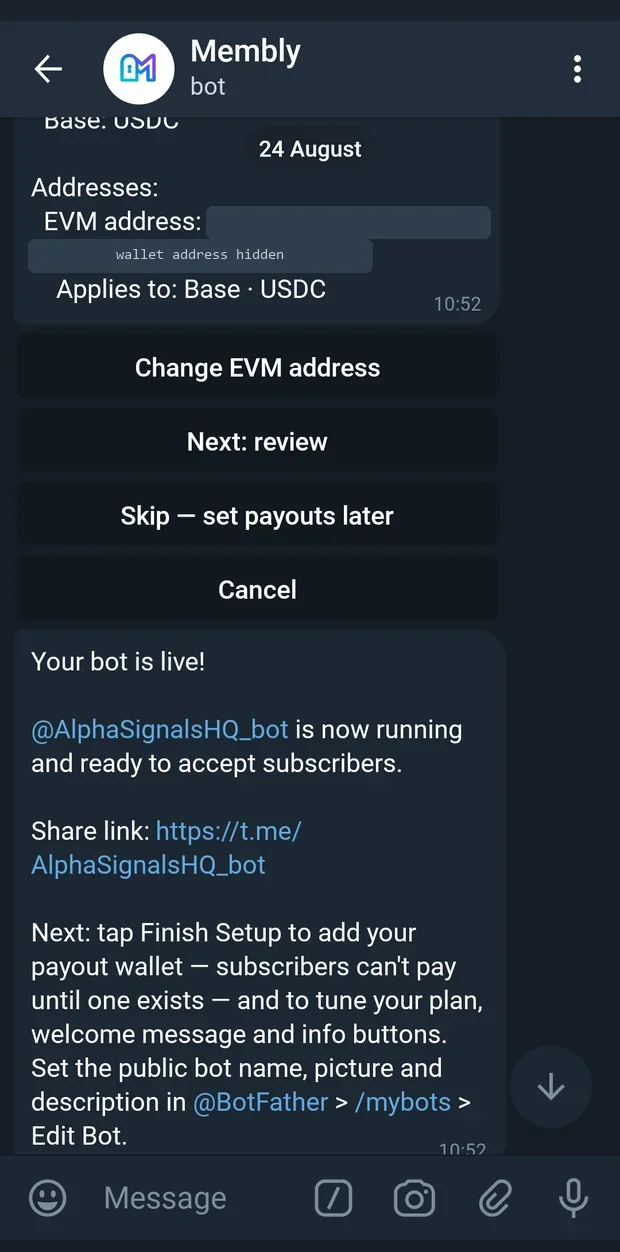
Once the deposit is seen on-chain, the bot sends a one-time invite link to the group. Your share is swept to your payout wallet, minus the platform fee. When the subscription expires and the grace period is over, the bot removes them from the group.
Renewals are handled too. Members are reminded before their subscription ends, three days ahead by default, and can renew inside the same bot.
Before you start
Four things. Gather them and setup takes minutes rather than an afternoon.
| You need | Where it comes from | Why |
|---|---|---|
| A Telegram account | The phone or desktop app you already use | You talk to @MemblyBot from it, and it becomes the owner of everything you create. |
| A private group you own | Telegram, new or existing | This is what members are paying to get into. You must be able to promote admins in it. |
| A bot token | @BotFather, via /newbot |
Membly needs it to run your child bot. It is a long string; treat it like a password. |
| An EVM payout address | Any wallet you control on Base or BSC | Where your revenue is swept. Use a wallet you control, never an exchange deposit address you cannot verify. |
The wallet is the one part you cannot postpone forever. Your bot will launch without a payout wallet, but subscribers cannot pay until one exists. The setup checklist on your dashboard chases you for it.
Promoting the bot converts the group. Telegram turns a basic group into a supergroup the moment a bot is promoted to admin. This is normal and permanent, and message history is kept.
Quick start in 10 minutes
The short path. Each step links to the full version on the Operators page.
-
Get a token from BotFather
Open
@BotFather, send/newbot, answer the two prompts, copy the token it gives you. See Create your bot. -
Start the master bot
Open
@MemblyBotand send/start, then tap 🚀 Create My Bot and paste the token. See Create your bot. -
Link your group
Add the new bot to your private group and promote it with Invite Users via Link and Ban Users, then confirm the link in the wizard. See Create your bot, step 2.
-
Launch
Tap ⚡ Launch with defaults for a $10 monthly plan you can edit later, or ⚙ Customize plan & payouts to set the name, length, price, chains and payout addresses now. See Launch choices and Plans.
-
Add your payout wallet
If you skipped it, do it now from the dashboard checklist. Nobody can pay until it is there. See Payout wallets.
-
Share your bot link and watch the first join
Send members to your child bot, not to the group. The bot handles the rest. See Members.
What it costs
There is no monthly charge. Membly takes a percentage of each paid payment when the money is swept to you, and the rest is yours.
Your exact rate is shown in the master bot under 💸 Pricing & Fees. On a default install it reads:
💸 Pricing & Fees
Your platform fee: 1%
Minimum fee: $0.20 per paid payment.
When a member pays, the fee is deducted automatically and the rest is swept to your payout wallet.
Have a fee code from Membly? Redeem it here to lower your platform fee.
No monthly cost. You only pay when you earn.
The percentage you see is your own rate, which may differ. If Membly gave you a fee code, redeem it on that screen to lower it. The minimum a paid plan can charge is $0.20; a price of 0 makes the plan free, which is how trials are done. Full detail on Pricing and fees.
Gas is not your problem. Members pay a stablecoin transfer to the address they are given; the sweep to your payout wallet is handled for you.
Glossary
Eight words that show up on every page of this guide.
- Operator
- You, if you are selling access. The Telegram account that created a bot in
@MemblyBotand owns its group, plans and money. - Child bot
- The bot Membly runs on your behalf, created from your
@BotFathertoken. It is the only bot your members ever see, and the only account that needs admin rights in your group. - Plan
- A price plus a length, for example $10 for 30 days. A plan can be public, coupon-only, recurring or one-time, and can carry a trial or an intro price. A length of
0means lifetime. - Coupon code
- A code a member types to get a discount on one of your plans, or to reveal a plan you keep hidden from the public list. You set the discount, how many times it can be claimed, and whether it burns after one use.
- Fee code
- Not a member discount. A code you may be given that lowers your own platform fee once you redeem it under 💸 Pricing & Fees.
- Sweep
- Moving a member's payment off the one-time address it landed on. The platform fee is deducted and the remainder is sent to your payout wallet. This is the only moment you are charged anything.
- Payout wallet
- An address you control, one per token and network, where swept revenue arrives. Set them under Settings; every add, edit and delete is written to an audit log.
- HD-derived address
- The fresh deposit address generated for a single payment. It comes from one master seed, so every address belongs to the same wallet family, but no two payments share one. That is how a payment is matched to a member with no reference code, and why the address expires after 60 minutes.
Common questions
Do my members need a crypto wallet?
Yes. They send USDC or USDT from any wallet or exchange that can withdraw on Base or BSC to the address your bot shows them. There is no card payment.
Which chains and coins can I accept?
Base and BSC, each with USDC and USDT. USDT on TRON also exists but is switched off by default. You choose which combinations to enable, and each one you turn on needs a payout address.
Can I keep my existing group and members?
Yes. Existing members are not touched or charged. Promoting the bot converts a basic group to a supergroup, which keeps history, and the people already inside stay inside.
What happens if a member pays but the address expires?
The address is checked for funds before it is ever closed, so a late deposit is not lost. If a session times out with nothing sent, the member simply starts a new payment.
Can I run more than one group?
Yes. Create a bot per group from ➕ Create New Bot, and switch between them under 🤖 My Bots. Each has its own plans, wallets, members and numbers.
Is this affiliated with Telegram?
No. Membly is built on Telegram's public bot API. Telegram does not endorse or operate it.